PepTalk
Weight · Injections · Insights · Tools
Track weight, doses, and progress in one place
v1.4.7
One app. Log everything locally — optional sign-in to back up and sync to the cloud. Works offline.
v1.4.0 highlights
Protocol-style summary in More → Tools → Data: worksheet-style layout with weight KPI tiles, stack table (from schedules, vials, and logs), optional Mon–Sun schedule grid, vial inventory, reconstitution reminders, and trend charts — save the whole view as a multi-page PDF. Still includes the text clinician PDF and print-friendly summary for visits.
PepTalk in action
Summary dashboard, weight & history, injections & vials, and insights with weekly dose and medication levels.
Summary
Weight
Injections
Insights
Built for your routine
Log weight and injections, see weekly dose and weight change, estimated medication levels, protocol-style export, and never miss a low vial or due dose.
Summary
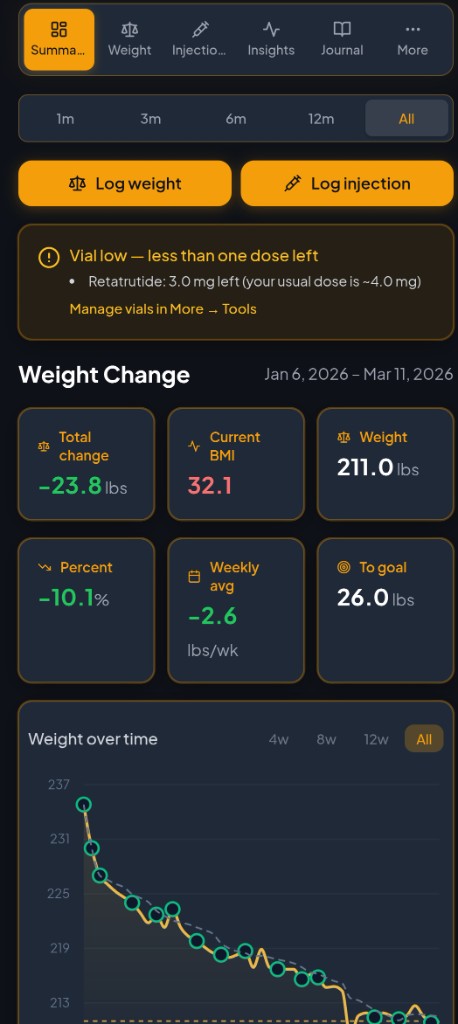
Your dashboard: quick log buttons, weight change stats, and goal progress.
- Log weight & Log injection buttons at the top; weight change stats (total, weekly avg, BMI, % change, to goal) right below
- Vial low warning banner when less than one dose remains — right where you see it
- Weight over time graph (wider on mobile); estimated goal date and goal tracker side by side
- On track? card: typical loss vs yours, time on medication, and projected dates at your current pace
- Week in review, hydration progress, logging streak
Weight
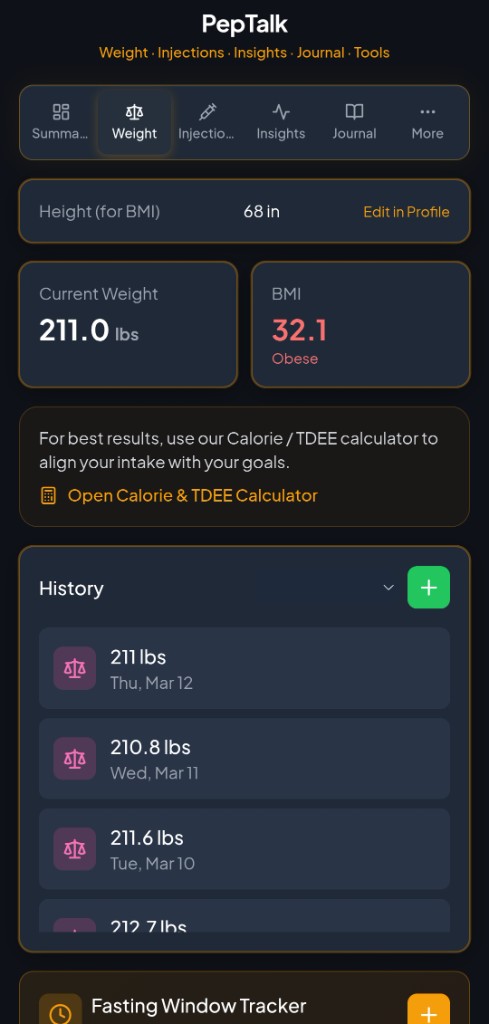
Current weight, BMI, history, and trends.
- Height for BMI; current weight and BMI cards; link to Calorie / TDEE calculator
- History list with calendar-style filter — pick a date to see that week’s entries
- Add, edit, delete entries; data drives Summary and Insights
Injections
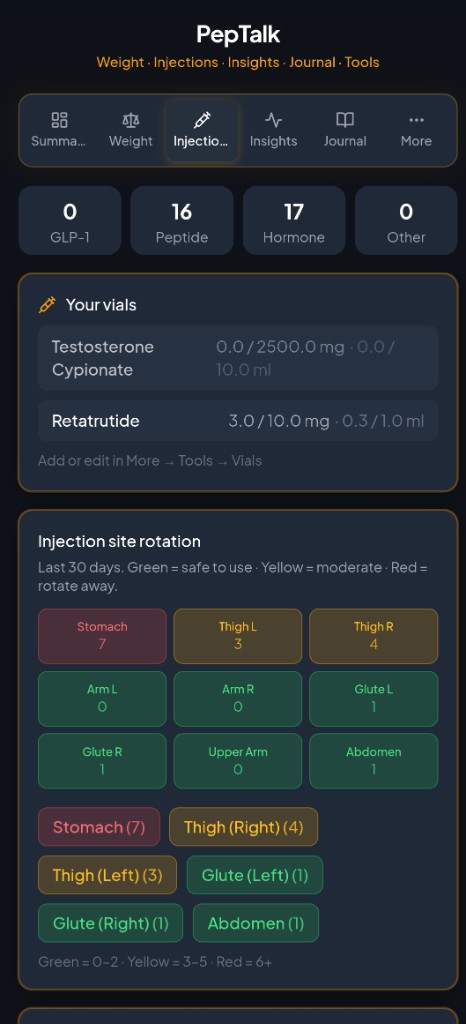
Log doses, track vials, rotate sites.
- Log injection with medication, dose, units, date, and time (morning, midday, evening, night or custom)
- Side effects and notes; history with week filter so you can focus on a given week
- Your vials: remaining vs total (mg/ml); injection site rotation grid (green / yellow / red by usage)
Insights
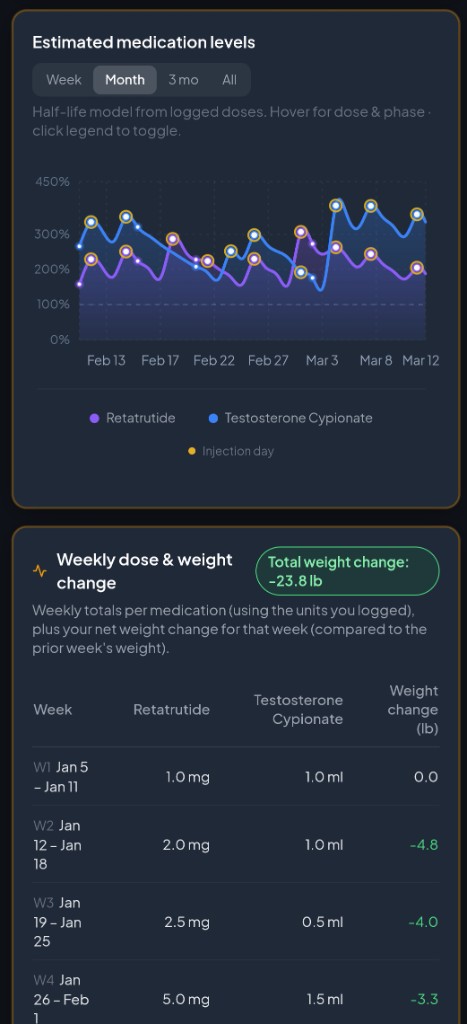
Medication levels, weekly dose table, and per-med summaries.
- How levels work — short explanation at the top; level phases (Single dose, Building up, Steady state) right under the graph
- Estimated medication levels over time (half-life model from your logs); Week / Month / 3 mo / All
- Weekly dose & weight change table: one row per week, columns per medication (doses in the units you logged), total weight change highlighted in the header
- Active medication cards: current level %, phase, next dose reminder, phase tips; expand for details
- Side effects from logs and by day in cycle (reference)
Account & cloud backup
Optional sign-in to sync your encrypted data to your Supabase project.
- When configured, sign in with email — your data stays on the device and is backed up to the cloud
- Restore on a new phone or resolve local vs cloud when both have data
- Background sync after saves; clear messages when you’re offline or the network fails
Tools & privacy
Vials, calculators, protocol-style summary, export, reminders. Local-first.
- Vial inventory and reconstitution calculator (mg, mcg, ml, units, IU); expiry and use-by
- Protocol-style summary (charts + tables) and clinician PDF from Data; JSON/CSV backup for spreadsheets
- BMI, TDEE, titration plans; calendar schedules feed the weekly grid in the protocol summary
- Reminders for injections and weigh-ins; low-vial popup when you open Summary
- Without cloud setup, everything stays on your device — no selling data
Protocol-style summary & PDF for a clear handout or personal file. Low-vial popup when you return to Summary. Weekly dose & weight table in Insights. Export (clinician PDF, CSV, JSON), reconstitution calculator, and typical-loss comparison — no paywall. Optional cloud backup when you configure Supabase.
Private by default. Your logs stay on your device; optional cloud backup when you enable it.
Low-vial alerts, injection reminders, medication levels, labs, and wellness tracking — all in one app. Download free.
v1.4.7
Free · Use in browser: opens the app · iOS: open in Safari, then Share → Add to Home Screen